


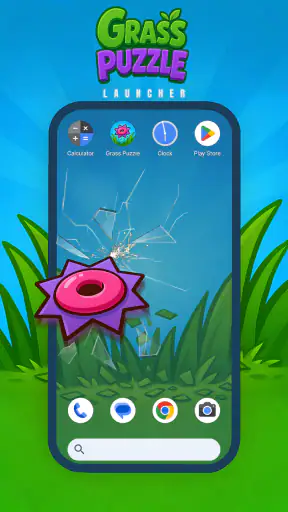
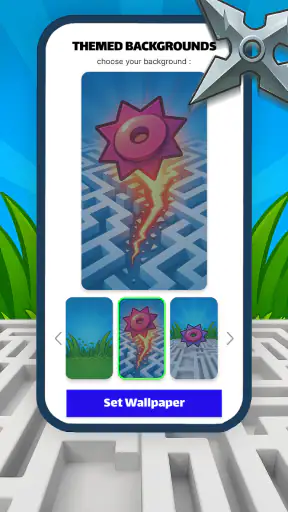
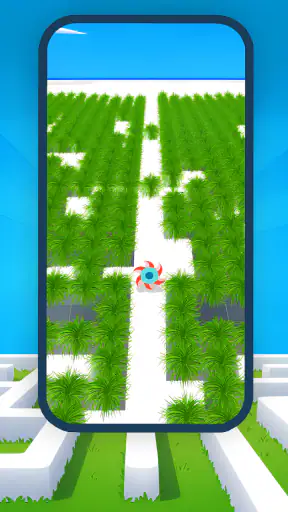
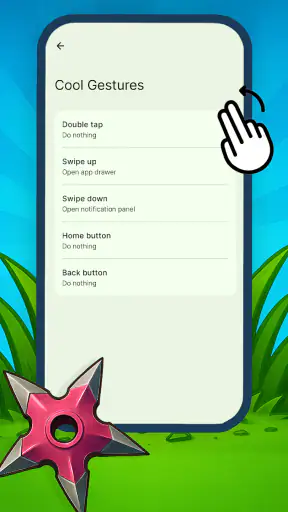
Grass Puzzle Launcher is a small personalization app from Gamnest that turns the idea of a launcher into a simple grass-cutting puzzle. I approached it expecting something lighter than a traditional home-screen replacement, and that is exactly where it makes sense: it gives you a compact, visual challenge built around planning movement through a maze rather than a long list of customization controls. The store summary describes the aim clearly, but the real appeal is in how carefully each move matters.
After trying it, I would recommend it to someone who enjoys neat, self-contained puzzles and wants a change from ordinary wallpaper or icon-pack personalization. It is free, suitable for Everyone, and available for devices running Android 8.0 or later. The current release is version 1.0.8, so the practical question is not whether it has a huge toolbox, but whether this particular grass puzzle loop fits the way you like to use your phone.
What to expect from Grass Puzzle Launcher
The first thing to understand is that this is not a conventional launcher in the same sense as a utility such as Nova Launcher, Niagara Launcher, or the default home app on your phone. Those tools focus on arranging icons, changing gestures, hiding apps, and making daily navigation faster. Grass Puzzle Launcher takes a more playful route. Its central idea is to plan your moves and clear a maze-like patch of grass efficiently.
That distinction matters before you install it. If you are looking for folders, extensive icon control, search shortcuts, or a densely configurable home screen, this app is unlikely to replace your usual launcher. If you like the thought of interacting with a puzzle before reaching the rest of your phone, however, it offers a more unusual kind of personalization.
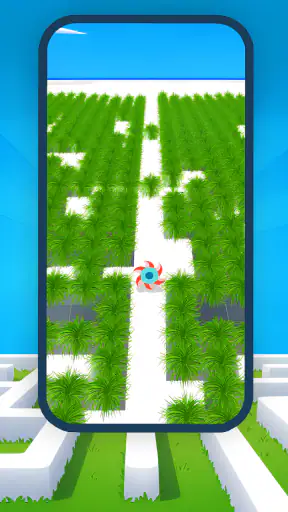
I found the basic concept easy to understand because the goal is visual. You see a grassy layout, consider the available route, and try to cover the area without wasting movement or leaving awkward sections behind. The challenge is not reflex speed. It is reading the shape of the maze, identifying where a path will end, and choosing an order that keeps the remaining space workable.
The important mindset is to treat every move as part of a route, not as an isolated tap. That is the difference between casually wandering through a level and solving it cleanly. A move that looks productive at first can block a narrow passage or force an inefficient return. The app is at its best when you pause for a moment, inspect the whole layout, and then commit.
Its audience is fairly specific. I can see it working well for people who enjoy compact logic games, users who want a more playful phone experience, and anyone who prefers a calm puzzle to a fast arcade distraction. It is also approachable for younger players because the content rating is Everyone and the visual premise is straightforward. I would still explain the objective to a child rather than assuming the launcher label makes the puzzle rules instantly obvious.
The app has attracted an average rating of 4.5 from around 2.2 thousand ratings, and it has passed one million installs. Those figures suggest that the simple idea has reached a meaningful audience, but they should not be read as proof that it will suit every Android user. A large number of people can enjoy a puzzle while someone seeking a serious productivity launcher finds it too narrow.
How it differs from ordinary personalization tools
Most personalization apps reward you for changing the appearance of your phone. You select a wallpaper, adjust a grid, install an icon theme, or choose a widget layout. Grass Puzzle Launcher is more interactive. Instead of making the screen look different and then leaving it alone, it asks you to engage with a small challenge.
That gives it a distinctive strength and a clear trade-off. The strength is that the home experience can feel active rather than decorative. The trade-off is that the puzzle itself becomes part of the cost of access. If you regularly need to open an app quickly, an ordinary launcher is the better choice. If you enjoy a brief mental reset before continuing, this unusual friction may be the point.
I would not install it merely because you want more control over Android. I would install it because you want a puzzle-themed way to interact with your device. Keeping that expectation realistic will make the first session much more satisfying.
Getting started without overthinking the setup
Installation is uncomplicated in the sense that the app is free and supports Android 8.0 or newer. Once it is on the phone, give yourself a moment to identify what role you want it to play. Some people will treat it as a puzzle app they open intentionally, while others will want it to sit closer to the home-screen experience. That choice affects whether the extra interaction feels enjoyable or inconvenient.
For a first-time user, I suggest beginning with the smallest possible goal: understand the movement pattern and finish one layout. Do not start by chasing an elegant solution or trying to judge the entire app from the first few seconds. The first successful action is simply learning how the grass responds to your input and noticing how the route changes after each move.
Before making a move, scan the boundaries of the maze. Look for corners, narrow turns, and areas that appear to have only one practical entrance. These are the places most likely to determine the solution. Open-looking sections can usually wait; constrained sections deserve attention because an early mistake there may leave them inaccessible later.
A useful beginner workflow is to divide the board mentally into three parts: the obvious open area, the connecting corridors, and the troublesome corners. Start by understanding the corridors rather than immediately filling the largest open patch. This is one of the app's less obvious lessons: the visually biggest area is not always the strategically important one.
Another helpful habit is to pause after every meaningful change in direction. Players often lose track because they focus on the grass already covered instead of the route still available. I found it easier to ask, “Where can this path end?” before moving again. That question prevents many avoidable dead ends.
Your first successful action
For most new users, success comes when the first layout is approached as a planning exercise rather than a speed test. Start at a position that gives you a clear view of the nearby route. Follow the broad section only if it does not consume access to a narrow branch. When the path reaches a corner, check whether continuing will strand an unvisited pocket behind you.
If a move leaves a small untouched section, do not automatically assume the level is lost. Re-examine the route from the current position. Sometimes the remaining section is intended to be handled later; sometimes the earlier turn was the real mistake. Learning to distinguish those situations is more valuable than restarting immediately.
My practical advice is to use the first completed puzzle as a tutorial in observation. Notice which shapes caused hesitation, which turns reduced your options, and whether your instinct was to move too quickly. That information carries into later layouts far better than memorizing one particular route.
There is also a useful emotional trick: treat an unsuccessful attempt as a map-reading exercise. Because the layouts are compact, a failed run can reveal the critical bottleneck quickly. Instead of repeating the same sequence, identify the first decision that made the rest of the board awkward and change only that part. This keeps the puzzle from becoming a frustrating cycle of random retries.
If you are introducing the app to someone else, especially a child or a casual player, demonstrate the planning idea rather than solving the whole board for them. Point out a corner and ask what might happen if the route enters it too early. That makes the game's logic understandable without turning the first session into a lecture.
Common confusion during the first session
The word “launcher” may create the biggest misunderstanding. A user may expect the usual Android controls and wonder why the experience feels more like a puzzle than a customization panel. That is not a technical problem to solve; it is an expectation problem. Think of Grass Puzzle Launcher as a puzzle-led personalization experience, not as a complete replacement for every function of a standard launcher.
Another common confusion is assuming that the best move is always the one that covers the most grass immediately. In maze puzzles, visible progress can be misleading. A long sweep may look efficient while quietly cutting off a corridor. The more reliable approach is to protect access to constrained areas until you understand how they connect.
New players may also restart too soon. A board that appears spoiled can sometimes be recovered by tracing the remaining route carefully. Before restarting, inspect whether the uncut patch is genuinely unreachable or simply less convenient than expected. This small pause helps you learn the structure instead of relying on trial and error.
It is equally important not to confuse difficulty with a lack of controls. The app's appeal comes from the route itself, so adding more settings would not necessarily improve the experience. Compared with a highly configurable launcher, it may feel limited. Compared with a tiny logic game, that simplicity is part of its identity.
There is a practical trade-off for people who use their phone under time pressure. If you need immediate access to a banking app, a work tool, or a message, an ordinary home screen will be more efficient. A puzzle-based entry point is better during relaxed moments, when a few seconds of planning feels pleasant rather than obstructive. I would not make it the default choice on a work phone unless you genuinely enjoy that extra step.
Privacy, permissions, and battery behavior are also sensible things to consider with any app, but I would judge this product primarily by how it fits your routine. Its free price removes the financial barrier, yet free does not mean universally suitable. The real cost is attention: each interaction asks you to stop and solve rather than simply tap an icon.
Who should use it and what to try next
Grass Puzzle Launcher is a good match for someone who wants a focused, low-pressure puzzle with a personalization theme. It is especially appealing if you like games where planning beats speed and where a small layout can occupy your attention without demanding a long session. The Everyone rating also makes it approachable for a broad audience, although individual puzzle tolerance will vary.
I would suggest skipping it if your priority is a polished productivity workflow. Users who depend on app drawers, gesture customization, extensive home-screen organization, or rapid one-handed access will probably be happier with a dedicated Android launcher. The same is true for anyone who dislikes repeating a route after a mistake. This app asks for patience and spatial thinking, not just decoration.
For an everyday scenario, imagine taking a short break between tasks. Instead of opening a social feed and losing track of time, you open the puzzle, study one layout, and work through its route. The session has a clear boundary: either you solve the board or decide to return later. That makes the app more suitable for intentional breaks than for passive scrolling, provided you enjoy the extra mental effort.
Once you have completed a first layout, your next step should be refinement rather than rushing ahead. Try to identify the decision that had the greatest effect on the outcome. Did entering a corridor too early cause trouble? Did you leave a corner until the end? Did you spend too long following the largest open area? Building this small vocabulary of mistakes makes later puzzles feel more deliberate.
A second useful exercise is to solve the same kind of layout with a different starting plan. Even when the result is successful, compare the route you expected with the route you actually used. This reveals whether you are naturally planning from the destination backward or simply reacting to the next available opening. Neither style is wrong, but knowing your habit helps you spot when it is misleading you.
Gamnest has kept the concept easy to approach, and the current version, 1.0.8, is a sensible release point for anyone curious about the idea. I would still describe the app as focused rather than feature-rich. Its value comes from the puzzle interaction, not from a broad collection of launcher utilities or a deep customization system.
My final recommendation is therefore conditional but positive. If you want a conventional Android home replacement, choose a conventional launcher. If you want your phone to offer a small maze challenge built around careful movement, Grass Puzzle Launcher is worth trying because it commits to that idea instead of burying it under unnecessary complexity. Start slowly, protect the narrow routes, and judge it after completing a full puzzle rather than after a quick glance.
For me, the best part is the change in attention. A wallpaper changes what I see, while this app changes how I approach the next action. That will not appeal to everyone, and it should not replace a tool designed for speed. But for first-time users who enjoy a brief logic challenge and want a more playful form of personalization, Grass Puzzle Launcher offers a clear, free way to turn a routine phone interaction into a small moment of planning.


